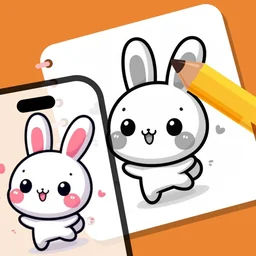
Trace any picture onto paper.

Point your iPhone at a blank sheet. The picture appears over it, so your pencil follows every line.

A blank sheet of paper on a bamboo desk mat, seen from above
Anime girl with a sketchbook, laid over the paper
Anime

Pick tonight's picture

Every set lives on your phone, so it works offline. Tap one to see it on the paper.

Plus nature, objects, characters and fruit: more than 3,000 templates across the app, with new sets every season.

How it works

First, pick a picture.

3,000+ templates: anime, tattoo, chibi, animals, flowers, cars and food. Heart the ones you love.

AR Draw template library: anime, animals, nature, cars, flowers and objects

Step by step.

Beginner, medium and advanced lessons break each drawing into four to six passes.

  1. Running figure, pass 1: rough shapes in red pencil
  2. Running figure, pass 2: block in the body
  3. Running figure, pass 3: clean outline
  4. Running figure, pass 4: face and clothes
  5. Running figure, pass 5: shade and finish
AR Draw drawing screen: the picture over the live camera view, with opacity and camera controls

Everything in the app

Simple pricing

Start free. Upgrade to Premium to unlock every picture, lesson and your own photos.

Premium Monthly

$7.99 / month

Billed monthly. Cancel anytime.

Get Premium
Best value

Premium Yearly

$19.99 / year

Just $1.67/month. Save 79%.

Get Premium

Prices are in US dollars. Local taxes may apply and are shown at checkout. Subscriptions renew automatically until cancelled. See our Refund Policy and Terms.

Questions

Is it really AR?

It uses your iPhone's camera. The picture floats over the live view of your paper, so you see both at once and follow the lines with your pencil.

What do I need?

Your phone, paper and a pencil. Raise the phone 20 to 30 cm above the sheet on a glass, a stack of books or a phone stand so your hand fits underneath.

Can I trace my own photos?

Yes. Upload from your photo library with Premium, or search for a picture on the web inside the app.

Is it free?

The download is free and includes a sample lesson, a coloring page and several templates. Premium unlocks everything for $7.99/month or $19.99/year.

How do I cancel?

Bought in the app: iPhone Settings > your name > Subscriptions, at least 24 hours before renewal. Bought on tooldraw.app: use the link in your Paddle receipt email, or write to [email protected].

Can I get a refund?

Web purchases: full refund within 14 days, see our Refund Policy. App Store purchases: request it from Apple at reportaproblem.apple.com.

Can I keep what I draw?

Take a photo or record a video of your drawing as you go. Both are saved in My Draw.

Does it work on iPad and Android?

It runs on iPhone and iPad with iOS 15.6 or later. There's no Android version yet.

Do I need the internet?

Only for web search. The templates and lessons are stored in the app.

Find a sheet of paper, open AR Draw, and trace your first picture tonight.

Get it free on the App Store

For iPhone and iPad, iOS 15.6 or later.

Get it free on the App Store